The memory a local model runs in is not the memory on a graphics card
A buyer guide to system RAM for GGUF weights in llama.cpp, Ollama, and Hugging Face. The shop cards are three DDR5 SODIMM listings, two Crucial and one Kingston FURY Impact. Artificial Examiner has not bench-tested these modules. The links are affiliate.
TORONTO — October 3, 2026
A local model does not run on the drive that stores it. The file can sit on the internal SSD or on the portable shelf this desk filed this morning. llama.cpp, Ollama, and a GGUF loader need a working set: the weights, the cache that grows with the conversation, and whatever else the machine is already doing. That working set is system RAM. It is not video RAM, and it is not disk.
The cards under this story are affiliate links. If you buy through them, Artificial Examiner may earn a commission. We have not bench-tested these modules. There is no speed figure in this piece, because this desk did not time a model on any of them.
Disk holds the file. RAM holds the working set. A graphics card, if you have one, holds only the layers you can fit.
Three different piles
Disk is the library. For a dense model, a 4-bit GGUF lands on the order of half a gigabyte per billion parameters. An 8-billion-parameter quant is a few gigabytes. A 32-billion-parameter quant is in the high teens of gigabytes. A 70-billion-parameter Q4 file is on the order of 40 GB. Those numbers are the size of the file. They are not the size of the machine that can run it. A mixture-of-experts file does not shrink to the “active” parameter count. A loader that pulls the whole file into memory holds every expert.
System RAM is that pool on a CPU run, which is what a lot of laptops are doing when they have no discrete GPU worth the name. The operating system, the browser, the loader, the weights, and the key-value cache all come out of it. If they do not fit, the machine swaps, and the model is reading itself back off the disk. It is still the model. It is no longer the thing you bought the RAM to do.
VRAM is a separate pool on a discrete graphics card. Layers you offload there leave system RAM. Layers you cannot offload stay. A small graphics card does not turn a 16 GB laptop into a larger machine by addition, and it does not take a SODIMM. Unified-memory computers, where the CPU and the GPU share one pool, are a different purchase. None of the cards below is that purchase.
What 16 GB is, and what it is not
Treat this as planning arithmetic, not as a stopwatch result from this desk.
Sixteen gigabytes is a common laptop floor, and it is often enough for a small quant if the rest of the machine is quiet. An 8-billion-parameter Q4 file is a few gigabytes of weights, plus a smaller cache for a short context. The operating system and a browser still take their share before the model starts. On a 16 GB laptop that is also your daily computer, the small quant can fit. A 32-billion-parameter quant generally does not: the weights alone are already in the high teens of gigabytes, before the cache and the desktop.
Thirty-two gigabytes is where a larger GGUF becomes a plan. A 32-billion-parameter quant and a moderate context can share that pool with a normal desktop, if you are not also compiling and keeping a dozen tabs alive. A 70-billion-parameter Q4 file, on the order of 40 GB before the cache, does not fit in 32 GB of system RAM. Offload to a GPU changes the arithmetic only by the size of that GPU.
Sixty-four gigabytes is the working set for the larger quant and the other apps at once. A 70-billion-parameter Q4 file starts to be discussable on a CPU, with room left for the operating system and the cache. More RAM stops the swap. It does not add a graphics card.
The cache grows with the prompt. A model that loaded at a short context can fail at a long one. Buy memory for the window, not only for the GGUF. Hugging Face’s PyTorch path is hungrier than a GGUF loader: 16-bit safetensors are several times the quant. Ollama and llama.cpp are how a laptop runs a quant. Point them at a GGUF.
A SODIMM is a laptop stick
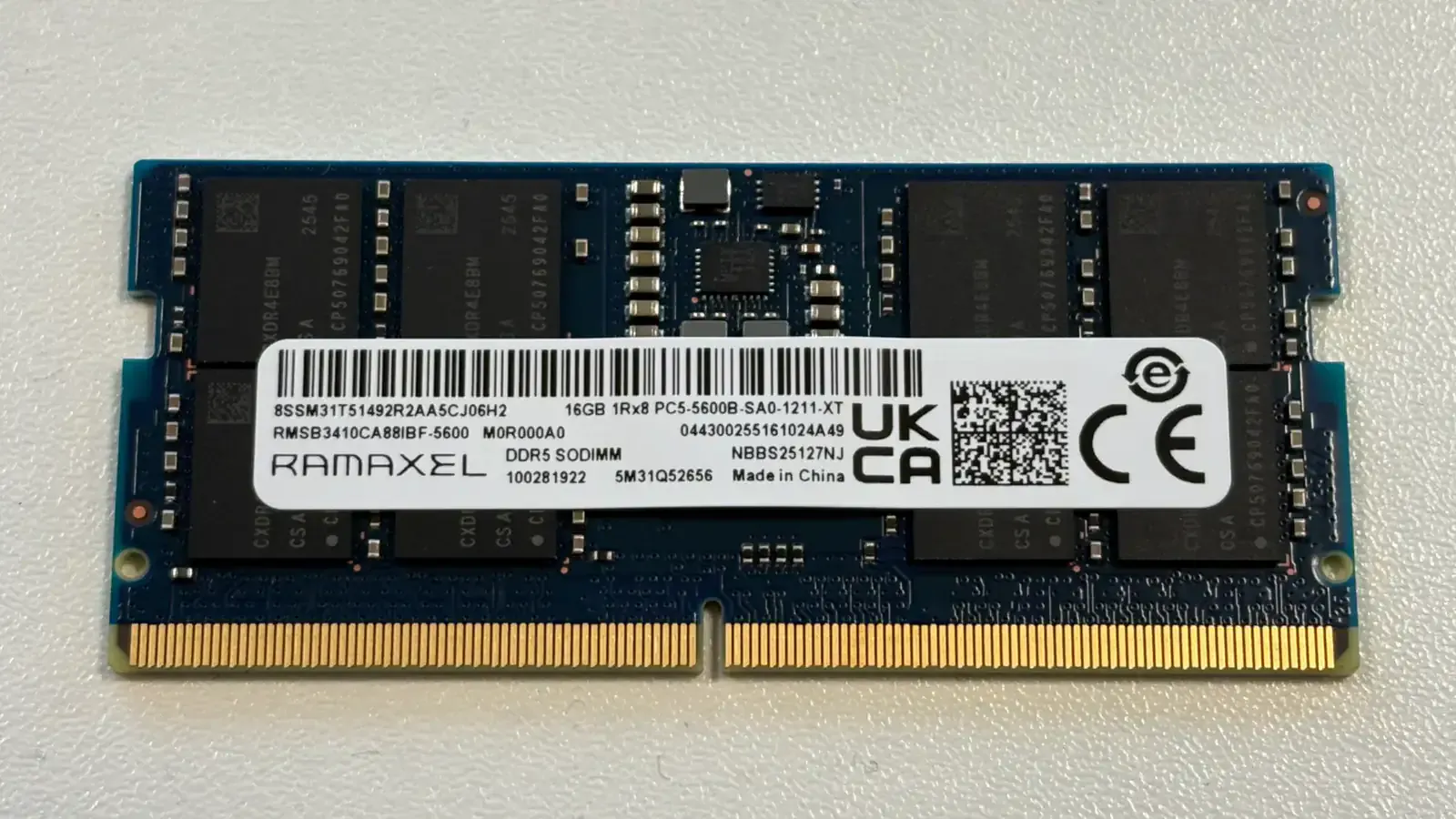
The three listings under this story are DDR5 SODIMMs, the short modules a laptop uses. A desktop DIMM is longer. It will not go into a SODIMM slot, and a SODIMM will not go into a desktop slot. If the machine is a tower, these cards are the wrong shape.
A lot of thin laptops solder the memory and offer no slot. A spec sheet that says 16 GB does not mean 16 GB, upgradable. Read the manual for that exact model: how many slots, the maximum capacity, and the maximum speed. A faster module clocks down to the laptop’s ceiling. A module the platform will not accept may refuse to boot. DDR5 does not go in a DDR4 slot.
Dual channel wants two modules. One stick in a two-slot laptop is one channel. A matched kit is the clean way to fill both slots. Two separately sold sticks of the same part often work. They are not a kit the maker sold as a pair, and this desk has not tested either arrangement. DDR5-5600 in a machine whose controller stops at 4800 is a 4800 purchase with a higher number on the label.
What the three cards are
Other memory exists. These cards are only the three listings we can attach to a real Amazon Associates tag, threadandfade-20. We are not ranking them against modules we cannot link. There is no price in this piece.
One card is the Crucial 32GB DDR5 RAM, 4800MHz CL40 Laptop Memory - Compatible with Intel 12th Gen and AMD Processors - CT32G48C40S5. It is a single 32 GB DDR5 SODIMM, not a pair. The title rates it at 4800MHz CL40. Buy it when the laptop has a free slot beside a stick you are keeping, or when you are replacing a smaller module and the manual says the machine will take 32 GB at that speed. If the second slot is empty and you want two channels, a second module is a separate purchase. These singles were not sold as a kit.
The second card is the Crucial 32GB DDR5 RAM, 5200MHz (or 4800MHz) Laptop Memory, SODIMM 262-Pin, Compatible with 13th Gen Intel Core and AMD Ryzen 7000 - CT32G52C42S5. The title says 5200MHz or 4800MHz. The listing is telling you the part can run at the lower rate. It is still one 32 GB SODIMM. Choose it over the 4800 listing when the laptop is rated for 5200. If the machine tops out at 4800, the two Crucial listings are the same capacity at the speed you will get. They are different part numbers, CT32G48C40S5 and CT32G52C42S5. Do not buy one of each and call it a tested pair.
The third card is the Kingston FURY Impact 64GB (2x32GB) 5600MT/s DDR5 CL40 Laptop Memory Kit of 2 | Lower Power Comsumption | Intel XMP 3.0 | Plug N Play | KF556S40IBK2-64. “Comsumption” is the spelling on that listing title. It is a kit of two 32 GB SODIMMs, 64 GB in total, part KF556S40IBK2-64, rated at 5600MT/s in the title. This is the dual-channel buy, and it is the 64 GB buy. It needs two SODIMM slots and a platform that accepts 64 GB. One slot cannot use half the kit as a plan. A 32 GB ceiling should not be asked to boot 64. If the controller stops at 4800 or 5200, the kit clocks down. The 5600 figure is a ceiling, the same way a drive’s rated speed was a ceiling this morning.
None of these is a desktop DIMM. None of them adds VRAM. Artificial Examiner has not opened, seated, or timed them. The blurbs under the story say that in shorter form. Check the seller, the return window, and the laptop manual. A stick that does not boot is a return, not a review we failed to write.
The buttons under the article go to those three Amazon listings with our Associates tag. They are advertisements. The commission, if a purchase happens, does not pick the capacity. The working set you intend to hold does.
This story includes affiliate links. If you buy through them, Artificial Examiner may earn a commission. That does not change the reporting. See our affiliate disclosure.