The card a local model fits on is not the card a game chart picks
A buyer guide to 16 GB desktop graphics cards for GGUF weights in llama.cpp, Ollama, LM Studio, and ComfyUI. The shop cards are an ASUS Dual RTX 5060 Ti, an MSI Ventus 2X OC Plus, a Gigabyte RTX 5070 Ti, and a Gigabyte Radeon RX 9060 XT. Video memory is the ceiling. Artificial Examiner has not bench-tested these cards. The links are affiliate.
TORONTO — October 5, 2026
A game chart ranks the chip that finishes the frame. A local model ranks the pool that holds the weights. Those are different purchases when the chart’s chip has the smaller pool. Sixteen gigabytes of video memory is a ceiling. An 8 GB card is a lower ceiling. A 12 GB card is a lower ceiling. A higher clock does not raise either one.
Yesterday afternoon’s guide was the box, and the graphics in that box were integrated. That mini PC has no slot to fill later. This guide is the card that goes in a slot, on a tower that has one. The file still sits on a drive until a loader maps it, which was Saturday’s disk guide. The working set on a machine with no discrete card is still system RAM, which was Saturday’s memory guide. The pane you watch the log on is still yesterday morning’s monitor. None of those four is video memory.
The cards under this story are affiliate links. If you buy through them, Artificial Examiner may earn a commission. Artificial Examiner has not bench-tested these graphics cards. There is no speed figure in this piece, because this desk did not time a model on any of them.
The chart wants frames. The model wants a pool large enough for the weights and the cache. A higher clock does not enlarge the pool.
What the chart is measuring
Treat the next sections as planning arithmetic, not as a timed test from this desk.
Video memory is a separate pool on a discrete card. Layers you offload there leave system RAM. Layers that do not fit stay in system RAM, and then part of the run is the CPU problem from Saturday. llama.cpp can split a model that way. Ollama and LM Studio can be pointed at a graphics device when the machine exposes one. ComfyUI spends the same pool on an image model: the checkpoint and the picture it is drawing share the card. A split does not turn 16 GB into a larger card. It records that the whole file did not fit.
Every listing below says 16 GB. That number is the ceiling these four cards share. An 8 GB card and a 12 GB card are smaller ceilings, whatever a chart did with their clocks. A model whose weights are already past 8 GB does not fit on the 8 GB card. A model whose weights are already past 12 GB does not fit on the 12 GB card. The 16 GB card is the one with the room. This desk did not time a frame.
Parameters, bytes, and the cache
A weight stored at 16-bit is two bytes. A 4-bit quant is on the order of half a byte. An 8-bit quant is on the order of one byte. Multiply the parameter count by that figure and you have the weights, before the cache and before the extra tables a file format keeps.
Eight billion parameters at half a byte is on the order of 4 GB. That quant can sit in a 16 GB card with room left. The same eight billion parameters at 16-bit is on the order of 16 GB of weights, which fills the card before a cache starts. Quantization is how a 16 GB card holds a model the same chip cannot hold at full 16-bit.
Thirty-two billion parameters at half a byte is on the order of 16 GB of weights alone. A 32-billion-parameter 4-bit file lands in the high teens of gigabytes once the tables are in it. That file does not fit in 16 GB with a cache on top. Seventy billion parameters at half a byte is on the order of 35 GB, which is why a 70-billion-parameter Q4 file lands on the order of 40 GB. That file does not fit in any card below. It also does not fit in 8 GB or in 12 GB. The miss is the same kind of miss. Only the shortfall changes.
Eight billion parameters at one byte is on the order of 8 GB of weights. That is an 8 GB card already full, and a 16 GB card with room for a cache. Thirty-two billion parameters at one byte is on the order of 32 GB. Sixteen gigabytes does not hold it.
The cache is the headroom. It grows with the length of the prompt and with how many sequences you run at once. A model that loaded at a short context can fail at a long one. Buy the card for the window you intend to open, not only for the GGUF on the disk. A mixture-of-experts file does not shrink to the active parameter count. A loader that pulls the whole file onto the card holds every expert.
An image checkpoint in ComfyUI follows the same rule. Twelve billion parameters at two bytes is on the order of 24 GB of weights, before the image. That does not fit in 16 GB. Twelve billion parameters at half a byte is on the order of 6 GB of weights, and the working image still has to share the card. This desk did not load either file.
The slot, the length, and the supply
A card needs a physical slot. Yesterday’s mini PCs do not have one. A PCIe 5.0 marking on a title is the generation of the link. It is not a second memory pool. A card whose title says PCIe 5.0 still has to seat in a slot that is physically wide enough for it. Once the weights are on the card, the next token is not a measurement of that link. The load is. We did not time a load, and we did not open a case.
The product-information tables print a length. The ASUS table says 9 inches long and 4.7 inches wide. The MSI table says 8.94 inches long and 4.96 inches wide. The Radeon table says 11.06 inches long and 4.65 inches wide. The RTX 5070 Ti table says 13.46 inches long and 5.59 inches wide. A case that accepts the short cards can still refuse the long one. The width on those tables is not the thickness. Only the ASUS listing’s differentiator line says 2.5-slot. The other three tables do not print a slot count. Two fans in a title are not a measurement of how many slots the cooler occupies. Read the manual for the card you receive. This desk did not put a ruler on any of them.
Those tables do not print a power-supply wattage, and they do not name the power plug. The ASUS manufacturer block tells you to use a wattage calculator and then pick a supply. It does not print the watts for this card. The what’s-in-the-box line on the ASUS page says DUAL-RTX5060TI-16G Video Card, Speedsetup Manual, Thank You Card. “Speedsetup” is the spelling on that line. The MSI line says graphics card. The RTX 5070 Ti line says video card. The Radeon line says GPU and manual. None of those lines names a power adapter. A supply that does not have the plug the card wants will not run it. The wattage to plan around is the figure in the manual and the figure on the label of the supply you already own. A customer review is not that label. We did not put a meter on a rail.
Weight is on the tables. The ASUS table says 0.66 kg. The MSI table says 600 g. The Radeon table says 1100 g. The RTX 5070 Ti table says 3.9 pounds. We are not turning those four figures into a ranking. A long cooler at 3.9 pounds is a support problem the short cards are not. The what’s-in-the-box lines do not name a support bracket.
What the four cards are
Other graphics cards exist. Some are sold with 8 GB or 12 GB. Some are sold with 24 GB or more. These cards are only the four listings we can attach to a real Amazon Associates tag, threadandfade-20. We are not ranking them against each other or against any card we cannot link. There is no price in this piece.
One card is the ASUS Dual GeForce RTX 5060 Ti 16GB GDDR7 OC Edition Gaming Graphics Card | PCIe 5.0, HDMI 2.1b, DisplayPort 2.1b, 2.5-slot, Axial-tech Fans, 0dB Technology, Dual BIOS. The short name is the ASUS Dual. The product-title line, before the pipe, is the Dual GeForce RTX 5060 Ti 16GB sentence. The differentiator under it on the page is the pipe section: PCIe 5.0, HDMI 2.1b, DisplayPort 2.1b, 2.5-slot, Axial-tech fans, 0dB technology, dual BIOS. The model name and the manufacturer part number both say DUAL-RTX5060TI-O16G. The what’s-in-the-box line says DUAL-RTX5060TI-16G, without the O. We are carding the model number that includes the O. We are not treating the box line as a second product.
The graphics table says NVIDIA GeForce RTX 5060 Ti, 16 GB, GDDR7, and a GPU clock of 2632 megahertz. A bullet says OC mode 2632 MHz and default mode 2602 MHz. The memory-clock field on that table says 2602 MHz. That is the same number as the default GPU clock. We are not reading it as the GDDR7 data rate. A bullet says 767 AI TOPS. That is a listing claim. It is not a count of gigabytes, and this desk did not run the test that produced it. The video-output line says Displayport 2.1b x3, HDMI 2.1b. The graphics interface says PCI-Express x16. When this desk opened the listing on 5 October 2026, the page said In Stock, ships from and sold by Amazon.com, and a quantity line said only 1 left. Those lines are inventory. They will move. They are not a spec.
The second card is the MSI GeForce RTX 5060 Ti 16G Ventus 2X OC Plus Graphics Card - RTX 5060 Ti GPU, 16GB GDDR7 (28Gbps/128-bit), PCIe 5.0 - Dual-Fan Thermal Design (2 x STORMFORCE Fan) - HDMI 2.1b, DisplayPort 2.1b. The short name is the MSI Ventus 2X OC Plus. The title is doing a lot of the listing’s work: 16 GB, GDDR7, 28Gbps, 128-bit, PCIe 5.0, two fans. The graphics table agrees on the chip and on 16 GB of GDDR7. It lists the GPU clock at 2602 megahertz and the memory clock at 2407 MHz. The title’s 28Gbps and the table’s 2407 MHz are not the same figure. We are not choosing between them. The model number is V535-005R. The table lists two fans and a length of 8.94 inches. It does not print a slot count. When this desk opened the listing on 5 October 2026, the page showed See All Buying Options and did not show an Add to Cart button. That is how the offer was presented. It will move. It is not a spec.
The third card is the GIGABYTE GeForce RTX 5070 Ti Gaming OC 16G Graphics Card, 16GB 256-bit GDDR7, PCIe 5.0, WINDFORCE Cooling System, GV-N507TGAMING OC-16GD Video Card. The short name is the Gigabyte RTX 5070 Ti Gaming OC. The title says RTX 5070 Ti, 16 GB, 256-bit GDDR7, and PCIe 5.0. The graphics table agrees: NVIDIA GeForce RTX 5070 Ti, 16 GB, GDDR7, three fans, PCI-Express x16. The GPU clock field says 2600 megahertz. The memory clock field says 2600 MHz. The same number is in both fields. We are not reading that pair as proof the memory runs at the GPU clock. The model number is GV-N507TGAMING OC-16GD. The table’s length, 13.46 inches, is the clearance problem the two 5060 Ti listings are not. A game chart would put this chip name above a 5060 Ti. For a model that fits in 16 GB, the capacity ceiling on the page is the same 16 GB. For a model that does not fit in 16 GB, neither listing holds it. We did not time either chip. When this desk opened the listing on 5 October 2026, the page showed See All Buying Options and did not show an Add to Cart button. Same reading as the Ventus card. Presentation, not a spec.
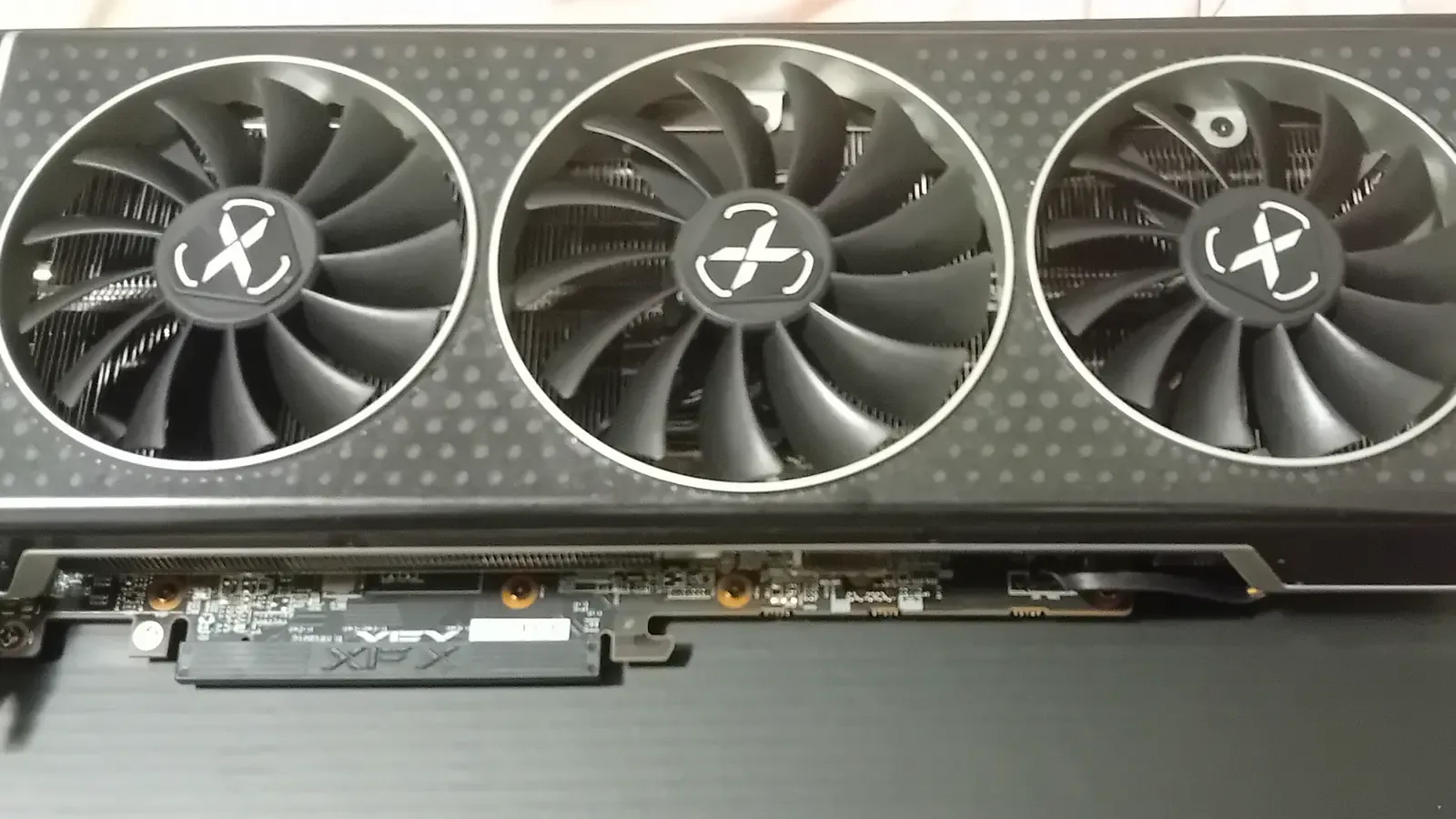
The fourth card is the GIGABYTE Radeon RX 9060 XT Gaming OC 16G Graphics Card, PCIe 5.0, 16GB GDDR6, GV-R9060XTGAMING OC-16GD Video Card. The short name is the Gigabyte RX 9060 XT Gaming OC. The title says Radeon RX 9060 XT, PCIe 5.0, and 16 GB GDDR6. The graphics table agrees on the chip, on 16 GB, and on GDDR6. GDDR6 in that field is the memory type. It is not a smaller sixteen than the GDDR7 printed on the NVIDIA titles. The generation of the memory chips is not extra gigabytes. The GPU clock field says 2700 megahertz. The memory clock field says 20000 MHz. We did not measure either number, and we did not check 20000 against a data sheet.
The model name and the model number say GV-R9060XTGAMING OC-16GD. The manufacturer part number on the same table says GV-R9070XTGAMING-16GD. A 9060 and a 9070 are different chip names. We are carding the title and the model name. We are not treating the 9070 part number as the product. The product-description block calls the line an AORUS Radeon 9000 Series and then names this GIGABYTE RX 9060 XT Gaming OC. We are not treating AORUS as a second card. A bullet list names WINDFORCE, a Hawk fan, a thermal gel, and RGB. RGB does not hold a weight. When this desk opened the listing on 5 October 2026, the featured offer shipped from Amazon and was sold by prime bay. A used offer was also on the page. Those lines are inventory. They are not a spec.
A Radeon listing is not a CUDA device. llama.cpp, Ollama, LM Studio, and ComfyUI do not all speak to an AMD card the way they speak to an NVIDIA card. A build that only has a CUDA backend will leave this card idle and run on the CPU, which is the system RAM from Saturday. Whether a Vulkan build or a ROCm build actually sees this RX 9060 XT is a software fact this desk did not test. The 16 GB on the title is still 16 GB. It is not a promise that the loader will use it.
Which listing to read for which ceiling
Choose the ASUS Dual when the title you want is the RTX 5060 Ti 16 GB card whose differentiator already says 2.5-slot, and when 9 inches is the length you are willing to plan around. The model number to match is DUAL-RTX5060TI-O16G. Leave the 767 AI TOPS bullet out of the choice. Leave the memory clock that repeats the default GPU clock out of it too.
Choose the MSI Ventus 2X OC Plus when the title you want is the other RTX 5060 Ti 16 GB card, the one that prints 28Gbps and 128-bit in the name, and when 8.94 inches is the length. The part number on the table is V535-005R. The title and the memory-clock field do not agree. Do not pretend they do.
Choose the Gigabyte RTX 5070 Ti Gaming OC when you want the RTX 5070 Ti name and you have measured the case for 13.46 inches and for a cooler the table lists at 3.9 pounds. The part number is GV-N507TGAMING OC-16GD. The 256-bit figure in the title is a bus width. It is not 256 GB. It is the same 16 GB pool the title already printed, on a wider bus the page claims and this desk did not measure. A chart is the wrong reason to pick this listing over a 5060 Ti. The capacity on both pages is 16 GB.
Choose the Gigabyte RX 9060 XT Gaming OC when the 16 GB you want is on a Radeon title, and when you have already checked that the loader you run can see an AMD card. The model name to match is GV-R9060XTGAMING OC-16GD. If the box you receive carries the manufacturer part number that says 9070, that number and the title are not the same product. Stop and look. The length on the table is 11.06 inches.
A clock we did not measure is the wrong reason to choose. A review on the page that liked a game is the wrong reason too. The cards are the listings. Artificial Examiner has not opened these boxes, has not seated them, has not loaded a GGUF on them, and has not run ComfyUI on them. The blurbs under the story say that in shorter form.
The buttons under the article go to those four Amazon listings with our Associates tag, threadandfade-20. They are advertisements. The commission, if a purchase happens, does not pick the ceiling. The video memory you intend to hold the model in does.
This story includes affiliate links. If you buy through them, Artificial Examiner may earn a commission. That does not change the reporting. See our affiliate disclosure.